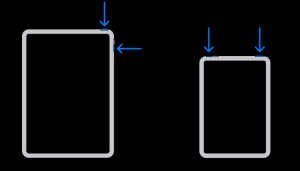
Resources
How To Hard Restart Apple Devices

Troubleshooting GUIDELINE
01 Restart IPAD Step by Step
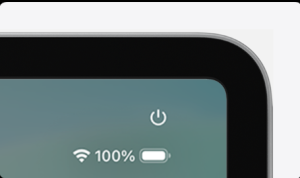
How to restart an iPad in Control Centre.
-
Swipe down from the top right-hand corner of your screen to open Control Centre.
- Press and hold the Power button
 in the top right-hand corner of your screen, then let go.
-
Drag the slider, then wait for 30 seconds for your device to turn off.
-
To turn your device back on, press and hold the top button until you see the Apple logo.

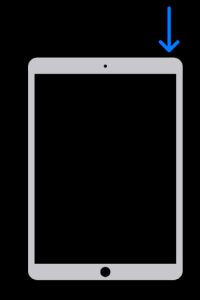
How to restart an iPad with a Home button
- Press and hold the top button until the power-off slider appears.

-
Drag the slider, then wait for 30 seconds for your device to turn off. If your device is frozen or unresponsive, force-restart your device.
-
To turn your device back on, press and hold the top button until you see the Apple logo.
How to restart an iPad without a Home button(10th Gen)
- Press and hold either volume button and the top button until the power-off slider appears.

-
Drag the slider, then wait 30 seconds for your device to turn off. If your device is frozen or unresponsive, force-restart your device.
-
To turn your device back on, press and hold the top button until you see the Apple logo.